Install the Server Agent with Portal
Last updated on
If you aim to use our latest features such as ‘Run Command’, ‘Server Update Management Service’ and many more, the STACKIT Server Agent must be installed on your server as a basis. It serves as an interface between our infrastructure and the operating system and receives and processes scripts sent remotely and runs them locally on your server, allowing you to configure your server as required.
This documentation describes how to configure a server with the STACKIT Portal to automatically install the latest STACKIT Server Agent during server deployment.
If you prefer to install the STACKIT Server Agent with the STACKIT IaaS API, STACKIT CLI or STACKIT Terraform, refer to this documentation: Install the STACKIT Server Agent with API.
If you want to install the STACKIT Server Agent on an already running Linux or Windows server, refer to this documentation: Install the STACKIT Server Agent on an existing Server.
Installing the STACKIT Server Agent with the STACKIT Portal during server deployment
Section titled “Installing the STACKIT Server Agent with the STACKIT Portal during server deployment”-
Check in the table below if your desired operating system supports an automated first boot installation of the STACKIT Server Agent with the STACKIT Portal.
Image Installation with API Installation with STACKIT Portal Windows Server 2016 yesyesWindows Server 2019 yesyesWindows Server 2022 yesyesWindows Server 2025 yesyesRHEL yesyesCentOS yesyesUbuntu yesyesFedora yesyesRocky Linux yesyesAlmaLinux yesyesDebian yesyes(Not yet supported in Debian 11)If it does not support this way, you can either use the API or alternatively install the agent manually, once the server is set up and running.
-
Within the server creation form in the Boot Volume tab go to STACKIT Server Agent and enable
Install the agent. -
Finish the server ordering procedure.
The STACKIT Server Agent will then be installed during the initial first boot configuration. Once the server completes its deployment configuration routines, it is ready-to-use and can be used to run commands.
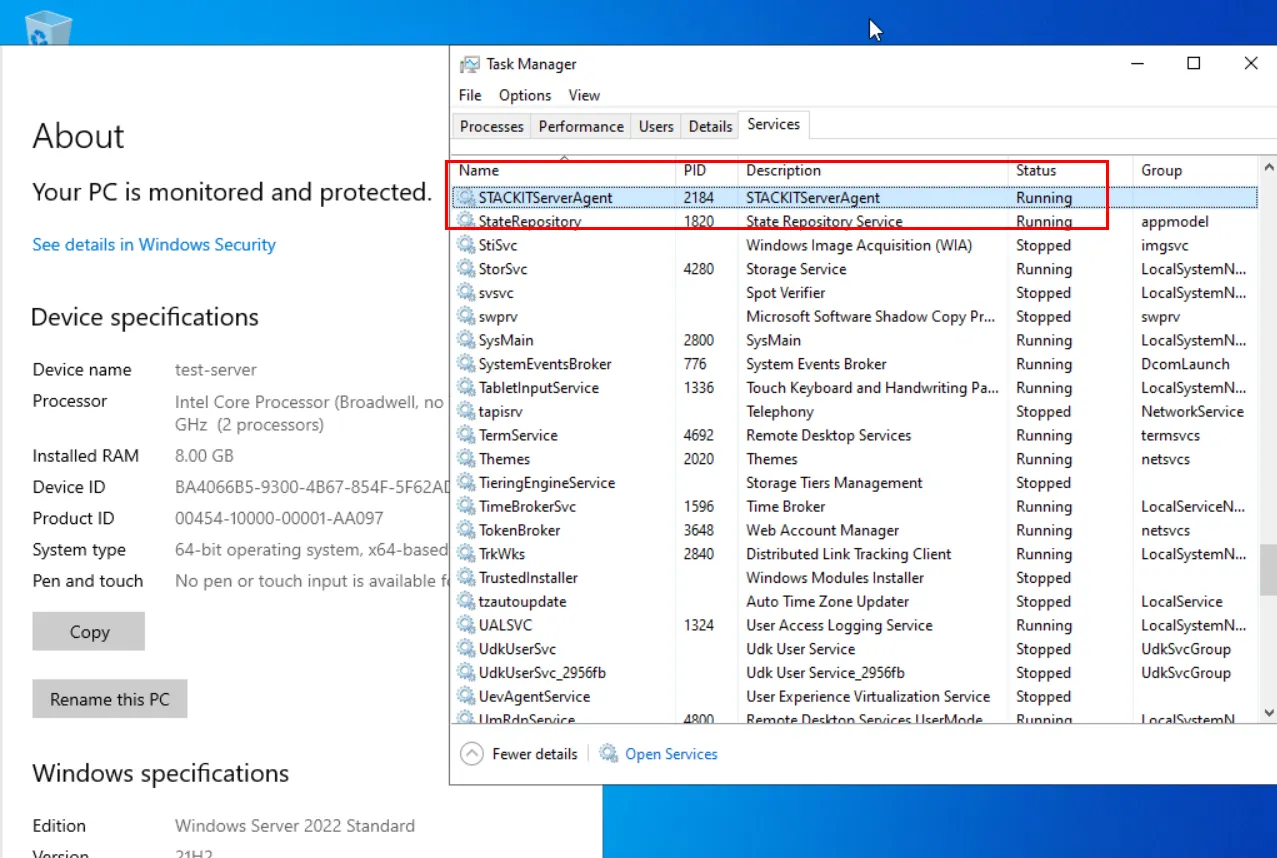
Example of the STACKIT Server Agent on a Windows Server 2022: